
How to Make a Facetime Call
FaceTime is Apple’s internet-based service for video and audio calls. To make a call, open the app or the person’s contact card, choose someone with a FaceTime-enabled phone number or Apple ID email address, then tap the video or audio button. Apple says the service uses the enabled numbers and addresses saved for that contact Apple Support.
Key takeaways
- FaceTime works over the internet, so contact details and connection quality matter as much as the app itself.
- Video, audio, and link invites each fit different situations; the wrong choice can cause failed calls or awkward setup.
- If a call does not start, check the Apple ID, phone number, and software version before blaming the camera.
- FaceTime Audio is often the better fallback when the network is weak or you only need voice.
- A FaceTime link is useful for planned calls because it reduces guesswork about which address to ring.
Original decision guide: which FaceTime method to use
Use this quick decision guide before you call: choose video when both people are on supported Apple devices and a steady connection; choose audio when cellular data is limited or the picture keeps freezing; choose a link for a planned call, especially if someone must join from a non-Apple device through a supported browser instead of receiving a normal call.
- Device compatibility: Use FaceTime video when both people are on supported Apple hardware. Older Apple devices may still handle basic calls, but software matters: FaceTime began on iOS 4 and Mac OS X 10.6.6, while FaceTime Audio requires iOS 7 or OS X 10.9.2 or later according to FaceTime - Wikipedia.
- Contact accuracy: If you are calling from Contacts, confirm the person’s current iPhone number or Apple ID email first. Apple Support warns that FaceTime tries the FaceTime-enabled numbers and addresses stored on the contact card, so stale entries can ring the wrong person or fail silently.
- Network quality: Choose FaceTime Audio when the connection is weak, the video freezes, or you only need a voice conversation. Audio-only calling usually puts less strain on a cellular or Wi-Fi connection than a live camera feed.
- Privacy and reliability needs: Use a FaceTime link when you want to invite someone into a planned call without guessing which phone number or email is active. A link also gives the recipient a deliberate join step, which is useful for meetings, family check-ins, or calls arranged by text.
- Common mistake to avoid: Do not troubleshoot the camera first if the call never starts. Check the contact field, Apple ID sign-in, and software version before assuming the device is broken.
- Fastest first check when a call fails: Try the same person through FaceTime Audio, then try a FaceTime link, then verify whether FaceTime is enabled under device settings. That order separates a network problem from a contact or setup problem.
What FaceTime is and what you need first
A call connects only when three pieces line up: your device supports the service, the recipient can be reached through an enabled number, email address, or link, and both sides have an internet connection. Common failure cases are an old phone number in Contacts, the feature turned off in Settings, or a link opened after the host has ended the session.
Supported devices and software
FaceTime is Apple’s built-in app for video and voice calls on supported iPhone, iPad, iPod touch, Mac, and Apple TV setups. For video, the device needs a working camera; for audio-only calls, camera quality does not matter. For current iPhone and iPad instructions, use Apple’s official guide rather than older compatibility summaries Apple Support.
On iPhone and iPad, Apple’s current instructions cover starting calls from the app, Contacts, missed calls, and live features such as screen sharing and real-time interaction tools. If your menus look different after an iOS or iPadOS update, check the latest official steps here: Apple Support.
Apple ID, phone number, email, and internet
A regular phone call uses the carrier’s voice network. This service uses the internet through Wi-Fi or cellular data, so a call can work across long distances without dialing a separate long-distance code. The trade-off is simple: if the device is offline, on weak Wi-Fi, or out of mobile data, the call may not connect or may drop Apple Support.
The person you call must be reachable through a FaceTime-enabled phone number, an Apple ID email address, or a link. On iPhone, the phone number is often the easiest route; on iPad, iPod touch, or Mac, the Apple ID email may be the main address. Apple notes that tapping a contact uses the enabled numbers or addresses stored there Apple Support.
A FaceTime link is not the same as calling a saved contact. The host creates an invitation, sends it through Messages, Mail, Calendar, or another app, and the recipient joins through Apple’s web flow at facetime.apple.com/join Apple’s join page. People on non-Apple devices can join only through that kind of link in a supported browser; they cannot receive a normal Apple-to-Apple call.
FaceTime options at a glance
Connection choice matters more than the button you notice first. Use video for a stable Wi-Fi call where seeing the other person matters, audio for a lower-bandwidth conversation, and a join link for scheduled calls or mixed-device groups. Do not use a link as a fix for a wrong contact card; clean up the saved number or email instead.
| FaceTime method | Best for | How it works | Device and contact requirements | Watch-out |
|---|---|---|---|---|
| FaceTime video | Face-to-face calls with family, classmates, doctors’ offices that offer video check-ins, or Apple users who need visual context | Uses the camera and microphone for a live video conversation | Supported iPhone, iPad, iPod touch, or Mac; video support depends on compatible software and camera hardware | If the camera button is missing or the call fails, the issue may be the contact address, disabled FaceTime, or unsupported software rather than the camera itself |
| FaceTime Audio | Voice calls where video is unnecessary, distracting, or unreliable | Uses FaceTime for an audio-only internet call | Available on supported iOS devices running iOS 7 or newer and Macs with the required camera/software combination noted by FaceTime - Wikipedia | It still uses internet data, so it is not the same as a carrier voice call |
| FaceTime link / join | Planned calls, group coordination, or situations where you do not want to guess the recipient’s active FaceTime address | A host shares a link; the recipient opens it and joins through Apple’s FaceTime join process | Works best when the host is on a supported Apple device and the recipient can open the invitation link | If the link says the call is not available, the host may have ended it, the invitation may be inactive, or the browser/device path may not be supported |
How to make a FaceTime call
To place the call, follow a direct path: 1. Open the FaceTime app or Contacts. 2. Select the exact phone number or Apple ID email you want to reach. 3. Tap the video button for camera-on calling or the audio option for voice only. 4. If the button is missing, go to Settings > FaceTime on iPhone or iPad and confirm the feature is turned on.
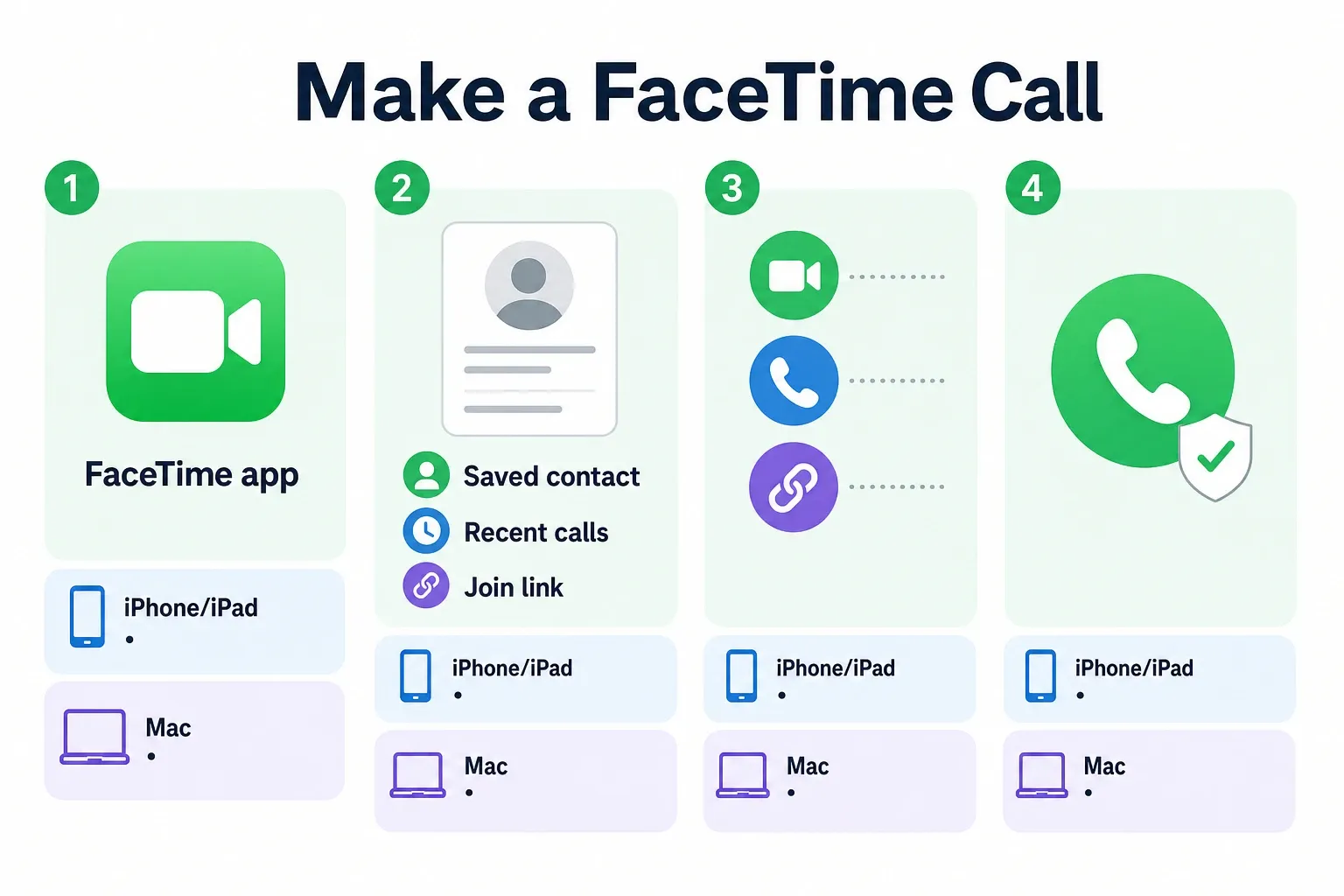
- On iPhone or iPad, open the FaceTime app. If you do not see it, search from the Home Screen or check the FaceTime App - App Store page for Apple’s listing.
- Tap New FaceTime or use the search field, then enter the person’s name, phone number, or Apple ID email address. Choose a saved contact only after checking that the card contains the current number or email you meant to use.
- Tap FaceTime to start a video call. If you prefer voice only, tap the audio option instead of starting with the camera.
- To call from Contacts, open the person’s contact card and look for the FaceTime button. This is often faster than opening the FaceTime app when the contact is already saved correctly.
- To call from Recents, open FaceTime or the Phone app’s recent call area, then tap the FaceTime entry for that person. Use this only when you are sure the previous call reached the right address.
- On Mac, open the FaceTime app, sign in with your Apple ID if prompted, then type the person’s name, number, or email in the field. Click the video or audio button based on the type of call you want.
- If someone sent you a FaceTime link, open the message or calendar invite, select the link, enter your name if asked, and choose Join. Wait for the host to let you in if the call requires approval.
- During the call, use the microphone and camera controls to mute yourself, turn the camera off, or switch devices if available. If the call quality drops, turn off video or move closer to the Wi-Fi router before ending the call.
Limits, rates, and common issues to know
Apple does not charge a separate per-call fee for the service. The cost to watch is data: on Wi-Fi, the call uses your internet connection; on cellular, it counts against your mobile data plan. If you are near a plan limit, switch to Wi-Fi or use audio instead of video Apple Support.
Costs and access limits
The main rates and limits are practical rather than per-minute: the app is included on supported Apple devices, cellular use depends on your carrier plan, and group calls can include up to 32 participants according to a FaceTime how-to guide in the research evidence FaceTime How to Guide. There is no separate Apple long-distance charge, but a long video call can use more data than a short audio call.
Device support is the bigger limitation. The smoothest setup is still iPhone to iPhone, iPad to iPhone, or Mac to another Apple device because the app is built into Apple’s ecosystem. Apple also lists FaceTime in the U.S. App Store, which is useful if the icon was removed from the Home Screen or you need to find the app again App Store.
Fixes for failed calls and missing buttons
If the call button is missing, check the setting first. On iPhone or iPad, go to Settings > FaceTime and make sure the feature is turned on; on Mac, open the FaceTime app > Settings and confirm you are signed in with the right Apple ID. Then check the recipient’s contact card, because Apple says calls use the FaceTime-enabled details saved for that person Apple Support.
If the call reaches the wrong person, stop redialing from the same contact name. Open Contacts, remove outdated shared numbers, separate combined cards for family members if needed, and tap the exact phone number or Apple ID email you mean to use. This fixes a common mistake: calling a name rather than the specific enabled address behind that name.
If the video is blurry, delayed, or frozen, fix the connection before reinstalling anything. On iPhone, open Control Center and switch to a stronger Wi-Fi network, or go to Settings > Cellular if you need to confirm cellular data is available. Pause downloads, streaming, or hotspot use on the same connection. If the picture still struggles, move the call to audio.
If a FaceTime link does not work, ask the host to create a new link and send it again through Messages, Mail, or Calendar. Apple’s join page can show that a call is unavailable when the session is not active Apple’s join page. A fresh invitation is usually faster than changing unrelated settings, especially for someone joining from a browser on a non-Apple device.
Best uses, drawbacks, and useful contacts
The service is best when most participants already use Apple devices and want a quick video or audio call with little setup. It is a weaker fit for mixed-device groups that need ordinary dial-in access, contacts with old shared numbers, or connections that cannot hold live video. In those cases, use audio, send a link, or choose another meeting tool.
- Best for families: Use FaceTime video for grandparents, parents, and kids who already have iPhones or iPads. The contact-card button keeps the process simple once each person’s number or Apple ID email is correct.
- Best for students: Use FaceTime Audio for a quick study question and video for screen-visible explanations. If a classmate’s number has changed, send a FaceTime link rather than testing multiple old entries.
- Best for remote teams: Use a FaceTime link for small Apple-heavy groups that need a planned check-in. For formal meetings with mixed device policies, a workplace-approved conferencing tool may be easier to manage.
- Best for people in the Apple ecosystem: Use FaceTime across iPhone, iPad, and Mac when you want the call to follow your Apple ID and device setup. This is smoother than asking each person to install a new third-party app.
- Main drawback: Native FaceTime calling is Apple-centered. If the other person does not use a compatible Apple device or cannot open the join path, a standard phone call, carrier video feature, or another meeting app may be more practical.
- Reliability drawback: FaceTime depends on Wi-Fi or cellular data. If a normal voice call works but FaceTime keeps dropping, the internet connection is the likely difference.
- Contact drawback: Saved cards can hide old numbers, family-shared emails, or merged entries. The most reliable fix is to call the exact phone number or Apple ID email, not just the name.
- Official help: Use Apple Support for iPhone and iPad FaceTime instructions, Apple’s App Store listing if you need to locate the app, and Apple’s FaceTime join page when you are testing a link invitation.
Final call-ready checklist
- Confirm your device supports FaceTime and is updated enough for the type of call you want.
- Turn on FaceTime and sign in with the Apple ID you actually use.
- Check the recipient’s phone number or Apple ID email before tapping the saved contact name.
- Choose video for visual conversations, FaceTime Audio for simpler voice calls, and a link for planned invitations.
- Use Wi-Fi for long video calls when possible, especially if your cellular data plan is limited.
- If the call fails, test in this order: exact contact detail, FaceTime Audio, fresh FaceTime link, then device settings.
Frequently asked questions
Is FaceTime free to use?
Yes. FaceTime itself is free to use on supported Apple devices, and Apple lists the app in the U.S. App Store App Store. The catch is data: calls use Wi-Fi or cellular internet, so your carrier plan or data limit can affect the real cost when you are not connected to Wi-Fi.
Can I FaceTime someone who does not have an iPhone?
Usually no for a standard call, because the service is built around Apple devices and Apple ID contact details. The exception is a FaceTime link: someone on a non-Apple device can join through a supported browser at Apple’s web joining flow, but they still cannot receive a normal Apple-to-Apple call like an iPhone user Apple’s join page.
Why doesn’t the FaceTime button appear in Contacts?
The most common reason is an incomplete or outdated contact card. Apple says the app tries the enabled phone numbers or addresses stored for that person, so an old shared number can send the call to the wrong place Apple Support. Also check Settings > FaceTime on iPhone or iPad, or FaceTime app > Settings on Mac, to confirm the feature is enabled and signed in correctly.
Can I use FaceTime on a Mac?
Yes. The app works on supported Macs with a built-in FaceTime camera or another compatible camera setup. If a Mac call will not connect, open FaceTime app > Settings, confirm the Apple ID, check the exact phone number or email in the contact card, and test the camera in another app before assuming the service is down.
How we researched this
Sources consulted for this article: